How to Use the Meal Planner
Most recipe sites are built to sell you something. Ad clicks, sponsored
ingredients, affiliate commissions on a stand mixer you didn’t need. The
recipe is almost secondary — it’s the vehicle that gets you to the ad unit.
That’s not what this site is trying to do. The goal here is genuinely simple:
help busy people stop defaulting to DoorDash and actually cook dinner — or at
least assemble it — without it becoming a whole thing. The Meal Planner is
part of that. It’s a free tool, no account required, no email gate, and it
does something that should be obvious but that almost no recipe site bothers
to do: it turns the recipes you want to make into a single organized grocery
list.
That’s it. Pick your meals, get your list, go to the store.
Why this exists
I built this because I needed it. I’m a Director of Finance with a demanding
schedule, and my wife is a nurse practitioner with an equally demanding one.
We have a newborn at home and and my older kids every other weekend. The window for
figuring out dinner on a Tuesday night is approximately twelve minutes, and
spending any part of that cross-referencing three recipe tabs to manually
build a grocery list wasn’t working.
So I built a tool that does it for you. The shopping list groups ingredients
by category — produce, proteins, pantry staples — combines duplicates across
recipes, and adds up quantities automatically. If two recipes both need olive
oil, it doesn’t show you olive oil twice. It shows you the total amount of
olive oil you need. That sounds like a small thing but was a pain in the (you know what) to get my AI coder to understand lol.
This is not a feature I’ve seen done well on other recipe sites. Most of them
have a “save recipe” button that dumps everything into a disorganized list and
calls it a day. This one actually does the work.
Two ways to use it
There’s no right way. Use whichever fits how you browse.
Option 1 — Add recipes as you go
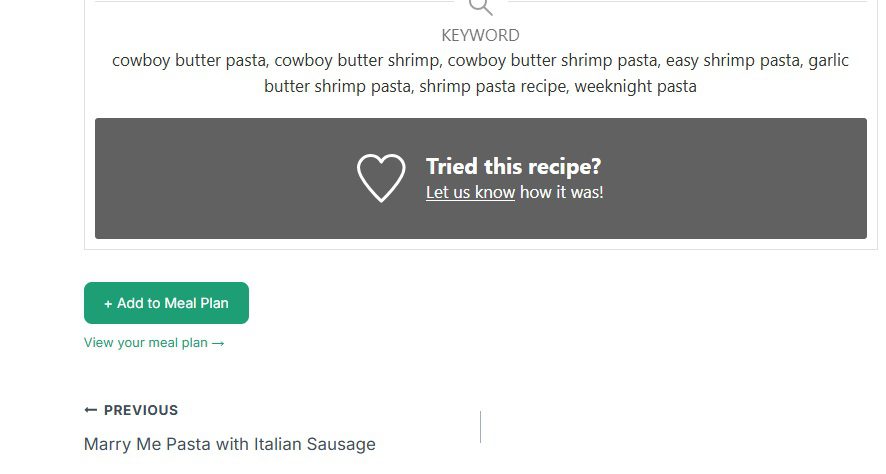
At the bottom of every recipe on this site, you’ll find an + Add to Meal Plan button. Browse around, find recipes you want to make this week, and
click it on each one. You don’t need to plan it all out in advance — just
add as you go.
When you’re done browsing, head to the Meal Planner page,
scroll down, and your shopping list is already built. Grouped, combined,
ready to go.
Option 2 — Build your list from the Meal Planner directly
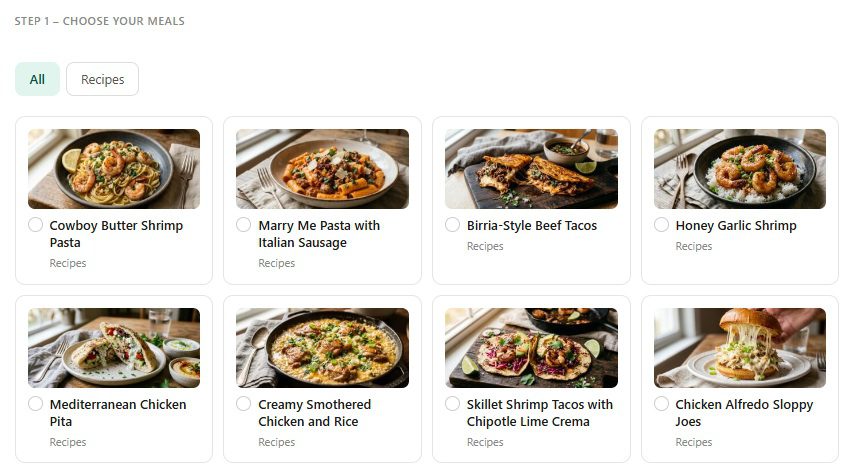
If you’d rather see all the recipes in one place and pick from there, go
straight to the Meal Planner page.
Browse the full recipe library, select the ones you want, and hit Generate
Shopping List. Same result, different starting point.
The part that actually makes this useful — use it on your phone at the store
Here’s how I actually use this every week, and why it matters more than it
sounds.
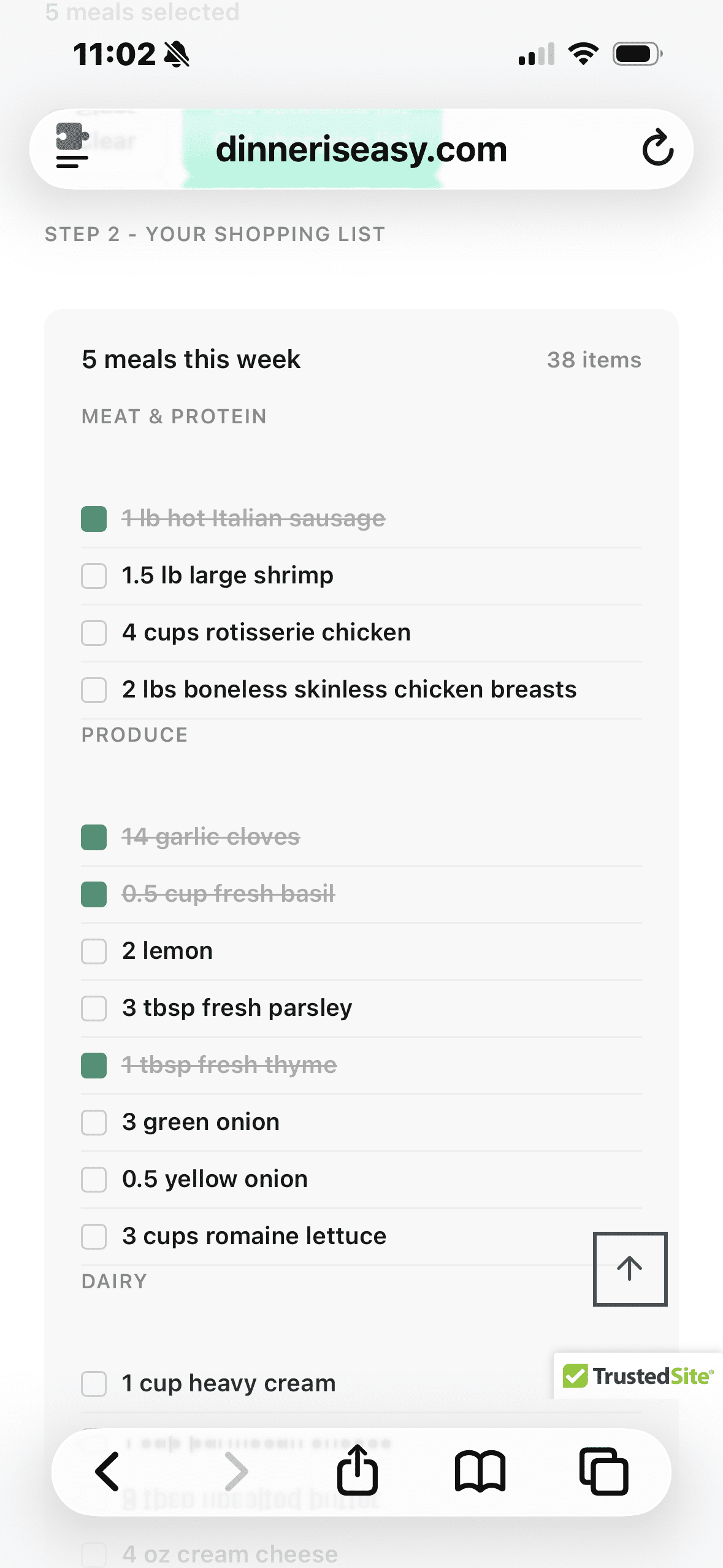
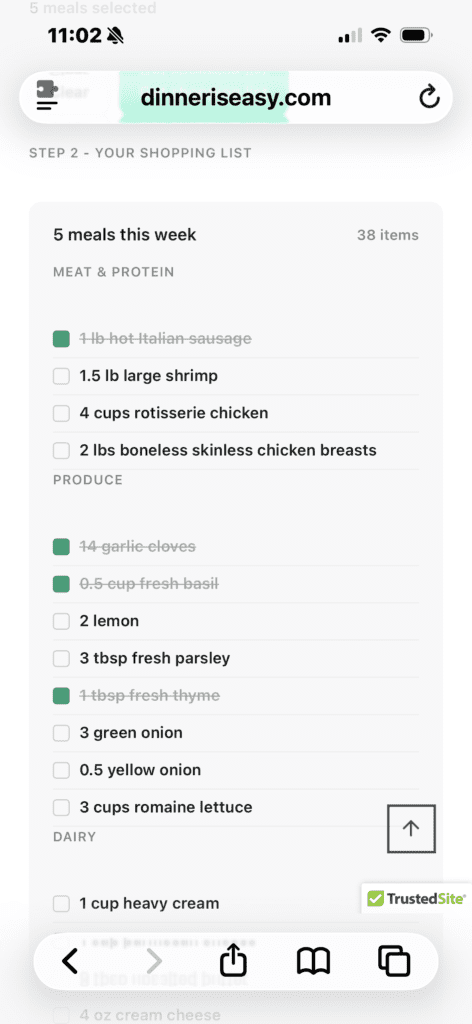
I pull up the meal planner on my phone before I walk into the grocery store.
The shopping list is right there — organized, nothing missing. As I grab each
ingredient off the shelf, I tap the checkbox next to it. It crosses out
automatically.
No paper list I’ll forget on the counter. No scrolling through five different
recipe tabs trying to remember what the pasta recipe needed. No standing in
the canned goods aisle second-guessing whether I already have chicken broth
at home. Just a live, interactive list that keeps up with me as I move through
the store.
This is the thing I built it for. The grocery store is where dinner planning
either works or falls apart. You can have the best intentions going in and
still walk out without two things you needed, because the process of tracking
what you have against what three different recipes require is genuinely hard to
do in your head while also navigating a crowded store. The checkbox system
solves that. It’s not complicated — it’s just something most recipe sites
never thought to include because they’re not actually thinking about what
happens after you close the browser tab.
What the list actually looks like
Ingredients are grouped by category — proteins together, produce together,
pantry staples together. Quantities are combined across recipes. If you added
four meals that each use garlic, you’ll see one line item for the total amount
of garlic you need, not four separate garlic entries. The list is clean, easy
to scan, and works exactly the way a grocery list should.
A note from me
I’m not a developer. I’m a finance guy who used AI to build a tool I actually
wanted to exist. It works well — I use it myself every week — but I’m still
improving it, and I genuinely want to hear from you if something looks off or
doesn’t work the way you’d expect.
If an ingredient doesn’t sum correctly, a recipe is missing from the list, or
you have an idea for how to make it more useful, email me at
clay@dinneriseasy.com. I read every one.
The goal of this site is to make weeknight dinners manageable for people with
real schedules and real constraints — and that includes making the tools
around the recipes as useful as the recipes themselves. The Meal Planner is
the best example of that. I hope it saves you some time.